Table Tales

Responsive Web App — UX/UI Design
Project Overview
Table Tales is a UI conceptual design project as part of my UI design apprenticeship at CareerFoundry. I was tasked to build a responsive web app. I decided to go for a website where people can find various delicious recipes with simple filter options. My vision for this responsive website was to create a well-structured, visually appealing, intuitive recipe page on which users can discover recipes and have fun cooking with helpful tips.
Motivation
I'm using recipe apps to discover new delicious recipes on a regular basis and thus I'm familiar with these kind of apps and websites. For me, it's much easier to cook with the help on an app rather than a cook book. I can directly edit portions, add ingredients to my shopping list and get recommendations based on my taste. There are great apps and websites for recipes out there but there is always something that can be improved to assure an even better user experiences.

A lot of people out there are suffering from food allergies and have dietary restrictions. I know this pain because I have a family member with an allergy to specific ingredients. It's not that easy to find a vide range of tasteful recipes. Therefore, one of my goals was, to make it simple to search for these kind of recipes with granular filter options. My preliminary ideas furthermore included a wide range of recipes and the possibility to view ratings for recipes.
My Role

UX Design, UI Design and Visual Design

Finished Project

August 2020

Tools

Sketch, Photoshop, UsabilityHub, InVision, Google Drawing

Deliverables

Competitor Analysis, User Research Interviews, User Flow Diagrams, Wireframes for all breakpoints, Interactive Prototype, Preference Testing, Mockups

The Process

Competitor Analysis
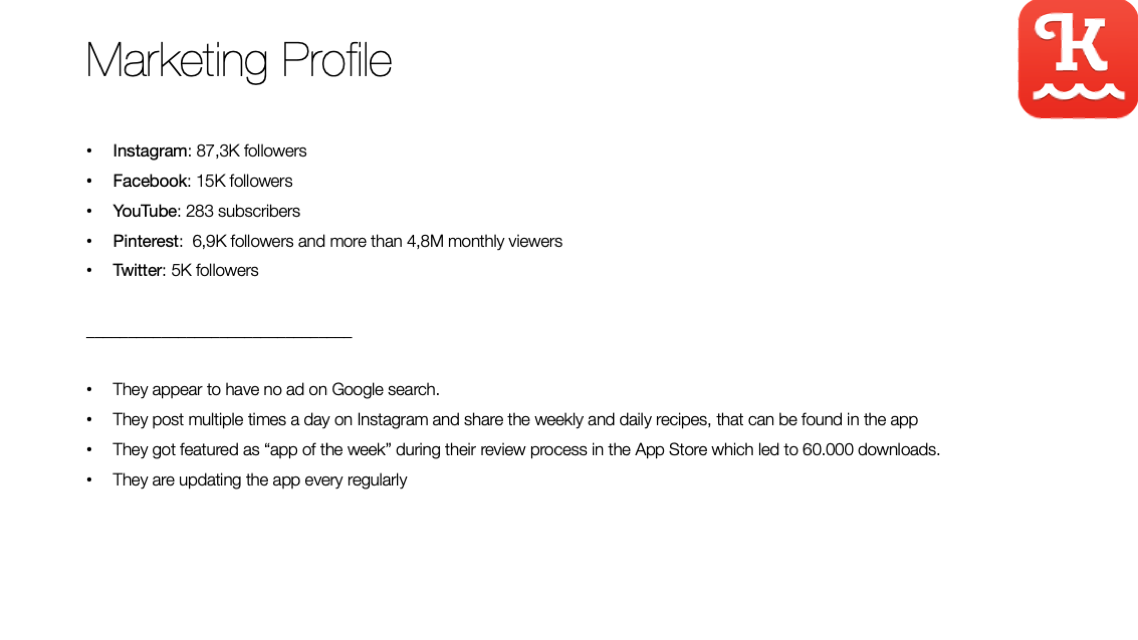
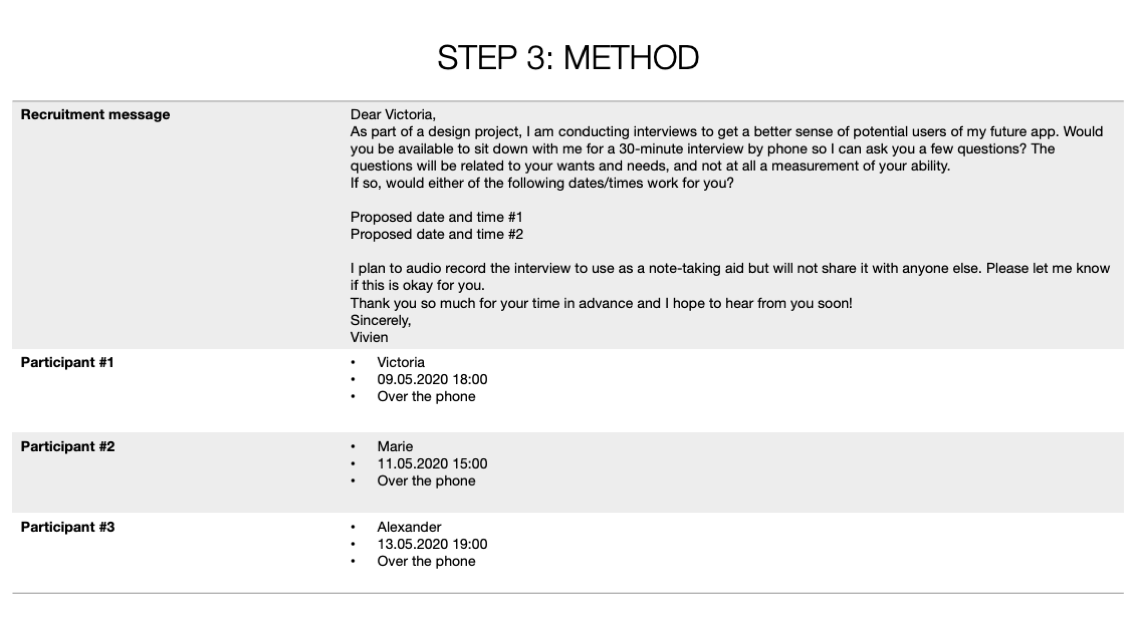
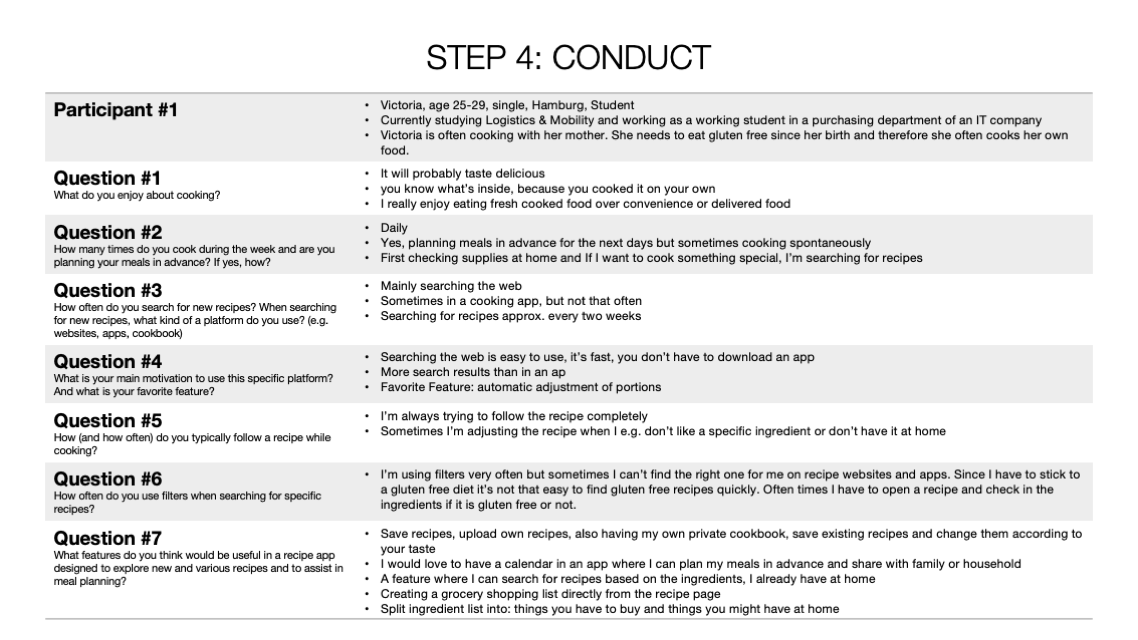
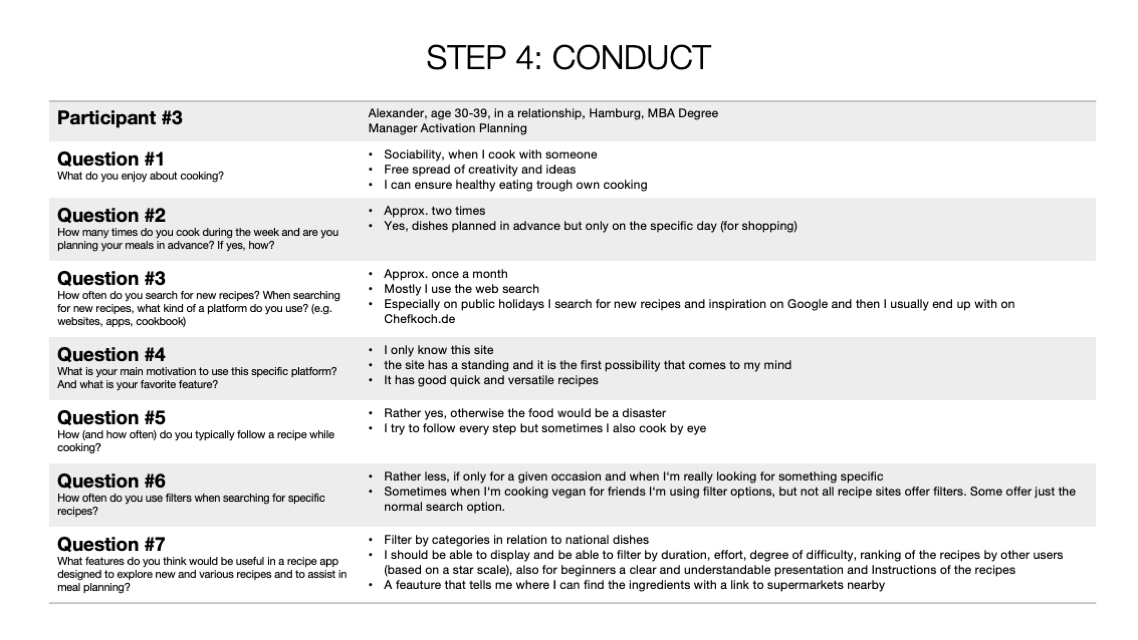
In order to get to know the problem space I'm operating within I conducted a competitor analysis to understand the needs of my potential users and their problems, and discover existing problems with current solutions. It’s important to get a feel for what kinds of issues are related to the problem I'm investigating and to take a look at what solutions to similar problems have already been proposed. I decided to do a competitor overview, marketing profile, SWOT analysis and UX analysis. I chose Kitchen Stories as my first competitor. They have a web app and a native app. Also, I chose to perform a competitor analysis with KptnCook even though it's a native app and not a web app.
User Personas
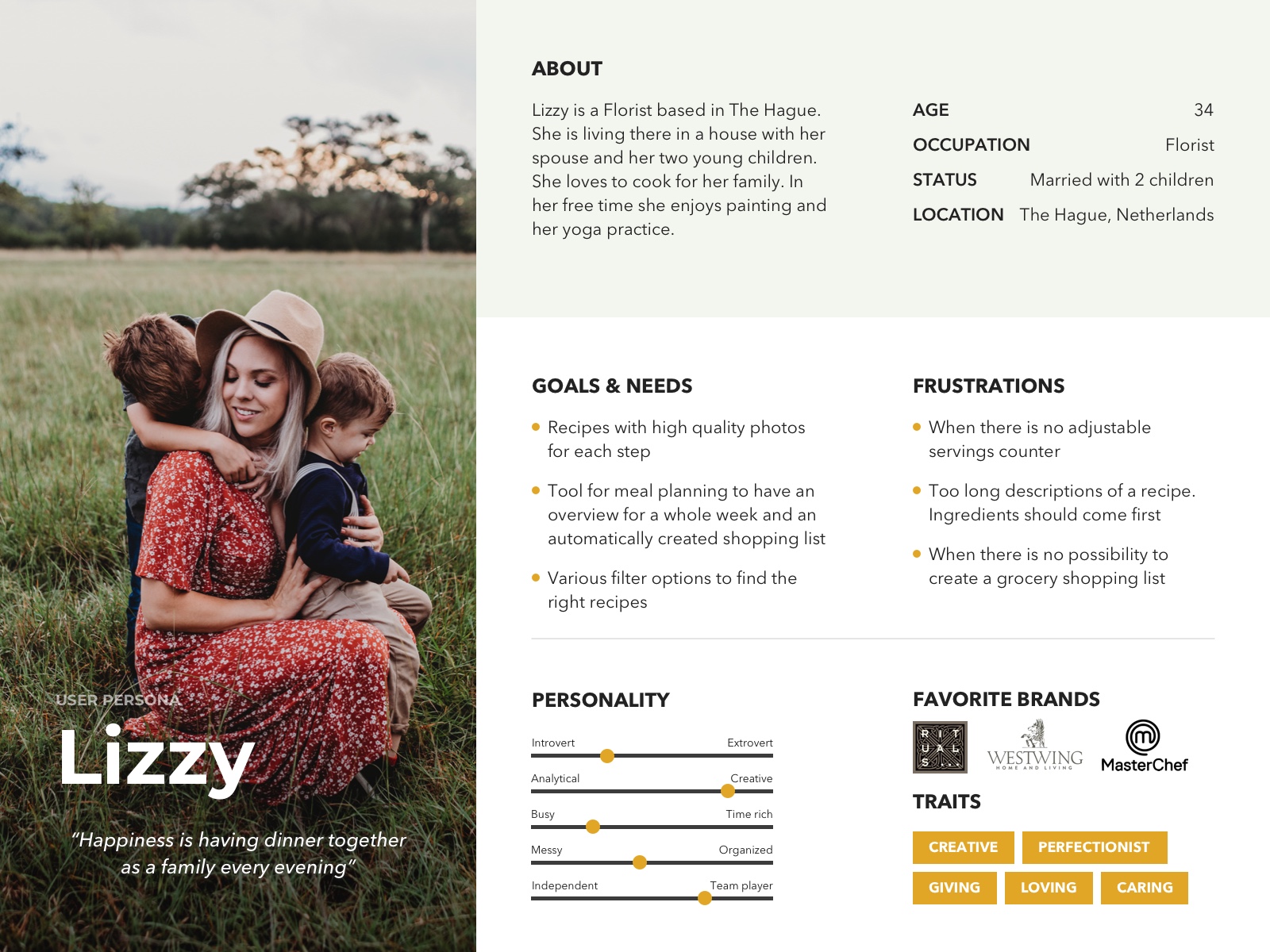
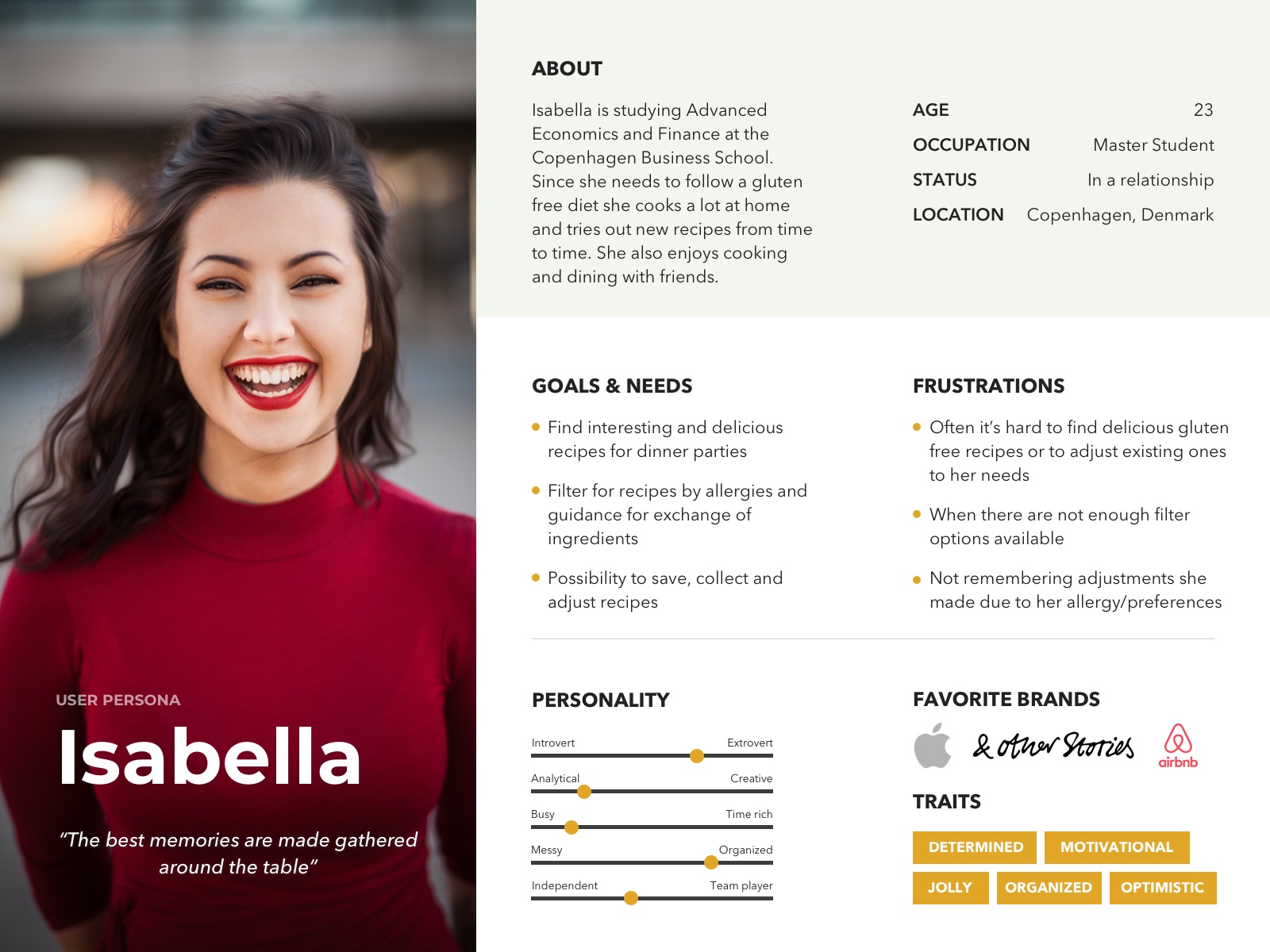
In order to scale user information to make better design decisions I decided to create user personas. For me these are useful means of systematising and simplifying the range of possible user qualities, helping work off concrete, realistic needs and behaviours.
Gathering Requirements
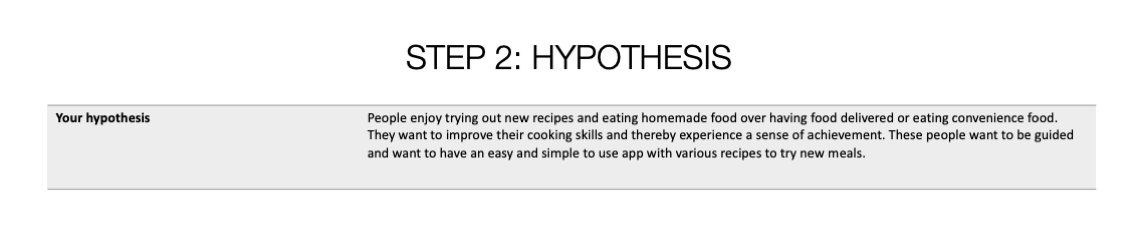
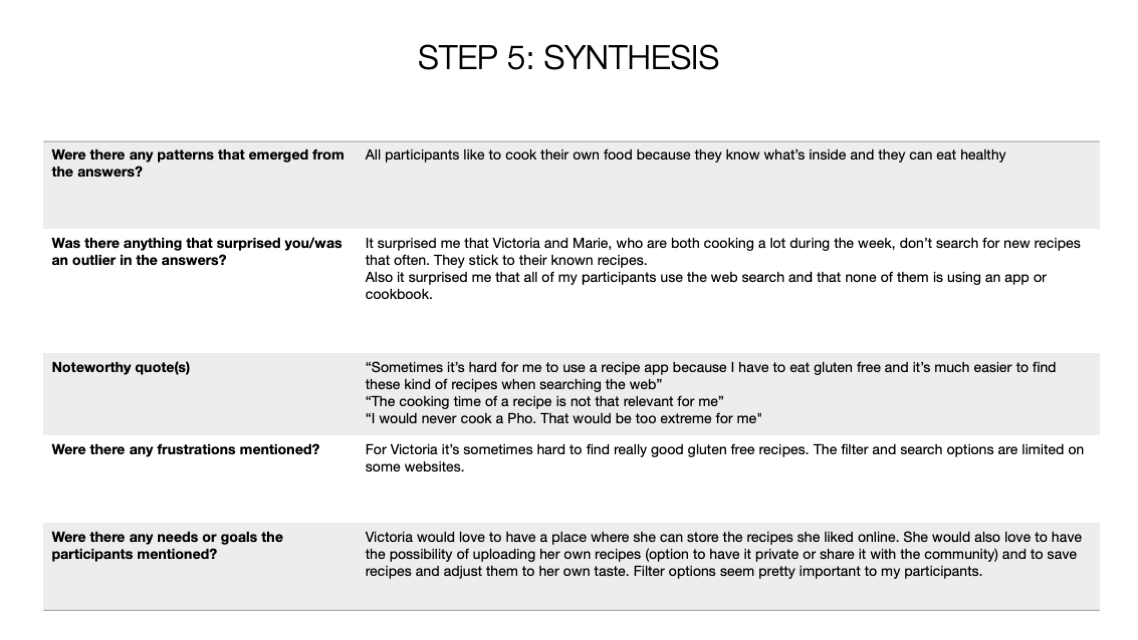
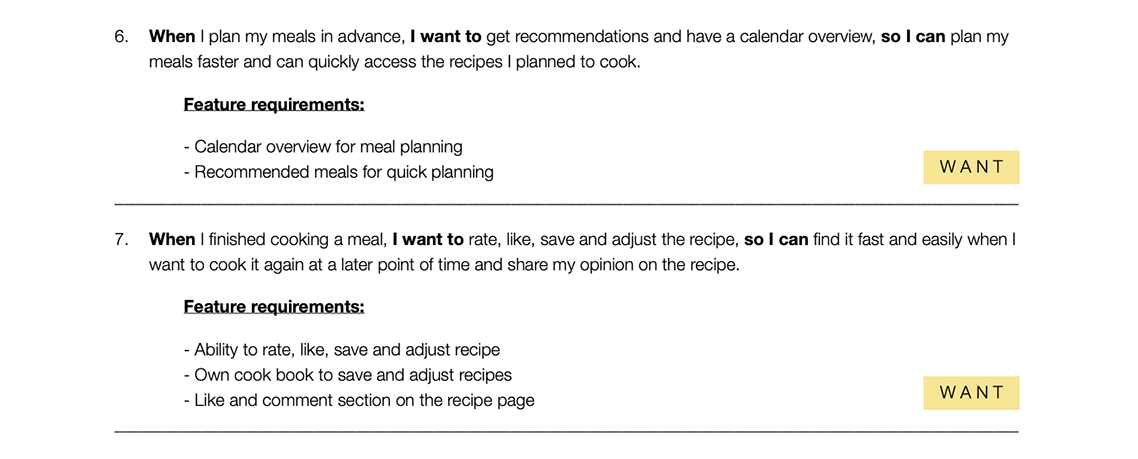
For the project kick-off – before creating wireframes – I gathered requirements. I created a list where I began to define what I'm setting out to do and what needs to be designed and considered to bring the product to life including the business requirements and technical limitations of the system. In the first step I started asking myself critical questions of the project. They helped me to focus on my user personas and the conducted user research. From this I started to extract key product requirements. After answering the questions I decided to include the Jobs To Be Done (JTBD) framework, also called "job stories", that helped me to understand what causes people to do a particular thing. The last step was to define the Minimum Viable Product (MVP).
Who is the user?
Anyone who wants to try out new recipes, search for inspiration and specific recipes using filters and people who want to expand their cooking skills. Mainly ages 21 and up.
What major goals and tasks will users want/need to accomplish?
– Search for recipes with different filter possibilities
– Easily access the ingredients of a recipe
– Automatically adjust the amount of ingredients based on portions/persons
– Follow the step-by-step guide with photos and videos in order to prepare the meal correctly
– Like recipes and save them in an own virtual cookbook
– Check nutritional information
– Read reviews and comments of recipes to decide if they want to cook it
– Contribute to the community by rating and commenting recipes or uploading own recipes
What will the product do?
The product will provide a variety of recipes that can be easily cooked due to the step-by-step guide and video tutorials. Also the product will provide various filter options to let the user find what they are searching for easily.
Where will the product be used?
The product will mainly be used at home or on the go for browsing, searching and saving recipes. Also at the grocery store to view the ingredient list or shipping list. Later on – while cooking – the user will use the product in the kitchen to follow the step-by-step guide to cook a delicious meal.
Why does the user need the product?
The user needs the product to find suitable recipes based on extensive search and filter options. Also the user needs the product for guidance and tutorial videos to practice cooking or to expand cooking skills. Furthermore the user needs the product to save own recipes and always have their own virtual cook book with them.
What kind of information will be created, entered, or featured in the product?
Users will have a wide selection of filters to search for recipes. They will be able to like and save recipes and even adjust the ingredients of a recipe (while saving in their cook book) to their own needs (due to allergies or intolerances) or preferences. For this step they’ll need to create a profile which would require the name and e-mail address of the user. They will also see recommendations based on their user history, saves and likes. To further optimise the user’s experience they can type in their location, allergies, preferences (e.g. vegetarian, vegan,...) in their profile, so that they don’t have to select the filters every time they search for recipes. The product will also have a review section for each recipe that features comments and pictures from the community – every user with a profile can contribute and share their opinion.
What particular business goals are you trying to achieve with this product launch?
I’d like to build up a network of users wo are interested in cooking, trying out new recipes and sharing their own recipes with the community. I’m striving for an active community that regularly shares their recipes and rates, comments and likes other recipes. Also developing partnerships with brands, companies and grocery stores to offer advantages and offline events and like discount codes and cooking classes.
Which platform and deviced will the product live on?
First the product will be a responsive web app only. When it's successful it would be possible to develop a native app for iOS and Android.

Jobs To be Done

MVP — Iteration 1

MVP Objective
To let people who like to cook or want to learn it find a variety of recipes with an easy to follow step-by-step guide and various filter options, so that everyone can find suitable recipes and can enjoy cooking.
Hypothesis
By providing a platform with a wide selection of recipes including various filter options – also having those in mind having food allergies or dietary restrictions – with an easy to follow step-by-step guide, we ensure an easygoing and smooth cooking experience for everyone (experienced or beginner) so that cooking can been joyed just as much as eating the meal afterwards.
Success Metrics
The primary metric that has to be tracked is the number of visitors on the web app. This could be broken down further by looking at the numbers for each recipe and different site sections.
User Flow Diagram
In order to visualise the steps that need to be taken to complete a task and reach a goal I created a user flow diagram.
User Story 1
When I search for a recipe, I want to have a wide search engine and a variety of filter options (including food allergies and dietary restrictions), so I can find suitable and various recipes.
User Story 2
When I’m looking at a recipe, I want to easily access the ingredients and nutritional information, so I can check if the recipe suits my taste or if it fits into my healthy diet.
User Story 3
When I’m cooking, I want to have easy to understand and visually pleasing instructions and tips, so I can enjoy cooking and prepare the meal accurately.
Exploratory Sketching & Rapid Prototyping
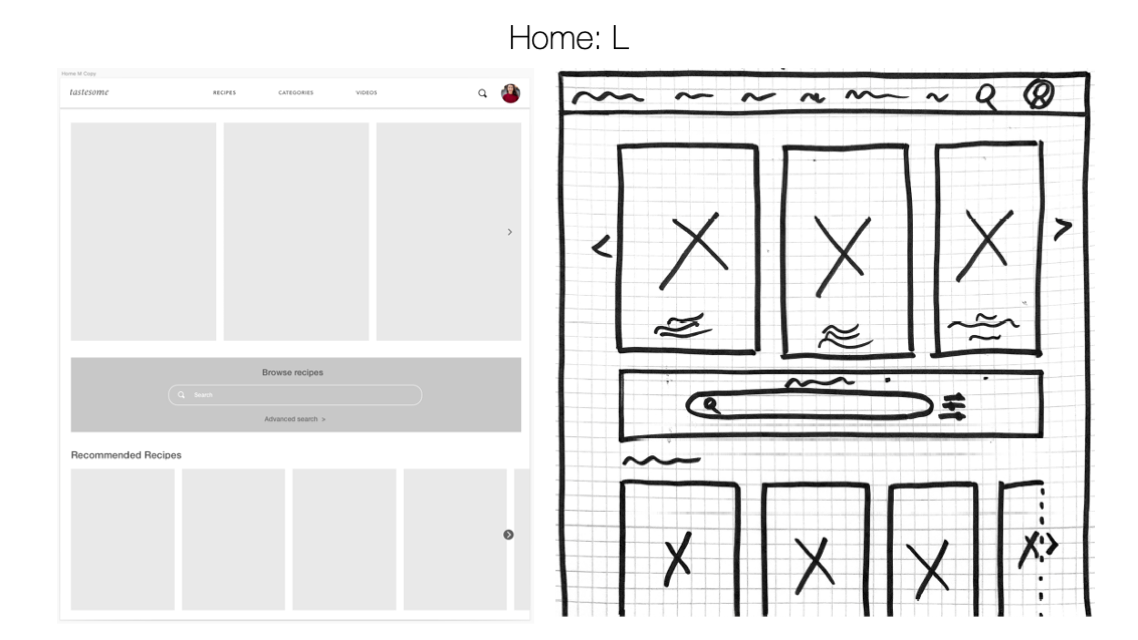
To generate and initiate ideas I decided to do exploratory sketching and rapid prototyping. The idea behind exploratory sketching – with the Crazy8s methodology – was to quickly generate a lot of design ideas for the project. After sketching two iterations for each user story I chose my favorite design for each screen and turned it into a mid fidelity wireframe. Since it was very important for me to involve users in my process from the beginning of the project, I decided to do rapid prototyping with my set of low-fidelity wireframes to refine my designs through a process of repeated testing and iteration.
User Story 1
User Story 2
User Story 3
Mid Fidelity Wireframes
User Testing
To test the first set of mid fidelity wireframes I decided to conduct usability testing with three participants to gather valuable feedback in the early design process. The goal of this test was to assess the learnability of my recipe app on a mobile device. I observed and measured if new users understand the application and how to complete basic initial functions such as searching for specific recipes with the filter option and access ingredients and nutritional facts easily and quickly. Additionally, being able to find the cooking instructions and tips (video tutorial) for a specific recipe. After the usability testing I realised that there are some issues that need to be fixed and I changed my wireframes accordingly.
Results synthesis and error rating
Mood Board
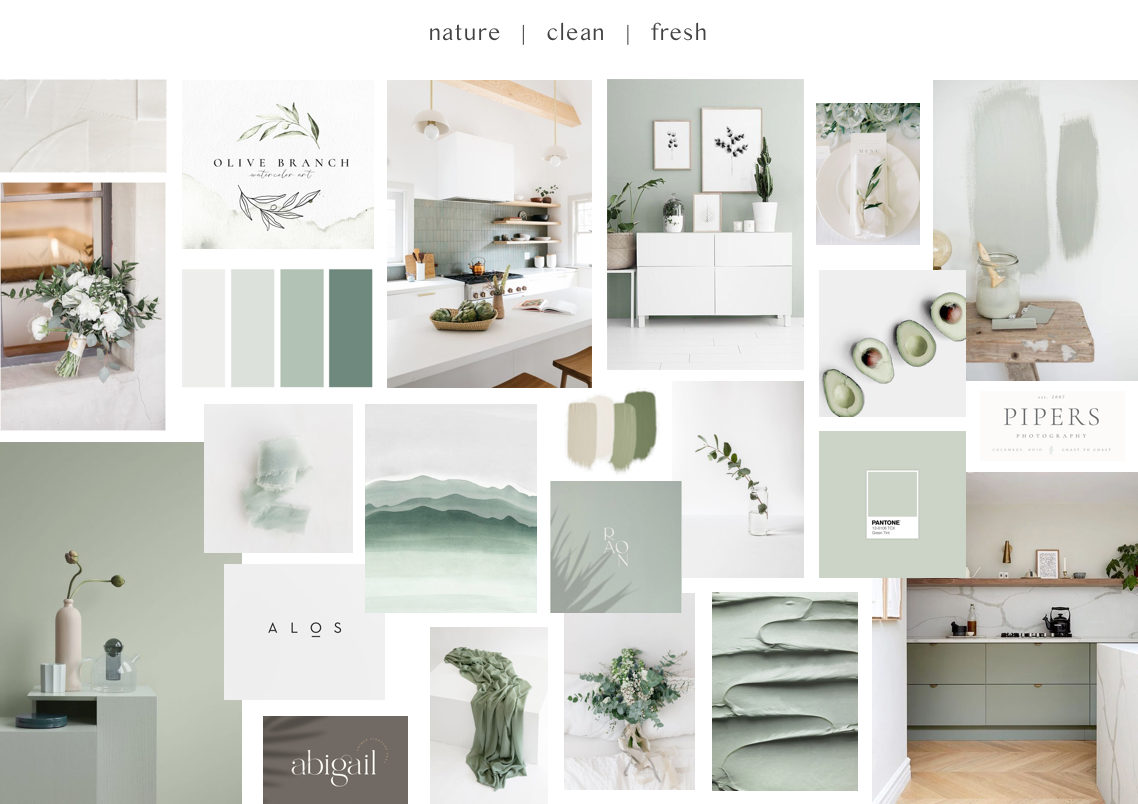
After the creation of the first set of wireframes, it was time to select the color palette for Table Tales. Therefore I created two different mood boards. The first board features warm oranges and reds and is reminiscent of the spices used while cooking. The colors radiate warmth and symbolise a connection to the earth. The second mood board goes in a different direction: green, fresh and natural. The inspiration for this color palette comes from the herbs that play a huge role in cooking. The goal was a clean look that doesn't distract too much from the recipe pictures, but still rounds off the design. Since the focus lies on the recipe images, I decided to go with mood board no. 2 in order to not distract the user from the essentials with strong, bold colors and to create a more natural and subtle look.
Preference Testing
In order to decide which is the best solution for the saved recipes screen, I decided to do a user testing and let users decide between two different design options that differ in their layout and site structure. I used the tool UsabilityHub to create my preference test and to gather feedback from the participants.
Responsive Design Patterns
Since Table Tales should be a responsive web app I had to adapt my mobile screens for larger breakpoints to make my designs responsive. I used the mobile-first approach and started designing for the smallest screen size first working my way up from there to acknowledges the frequency of users accessing content on smartphone screens and to ensure design consistency across a range of screen sizes.
Responsive Layout Grid
In order to have a consistent layout on all of my screens and breakpoints I defined a responsive layout grid and used percentages for colums, gutters and margins instead of fixed values. I decided with a 12-column grid to ensure consistency across all screen sizes.
Style Guide
Based on my mood board I created a style guide for Table Tales. After applying the chosen colors to my wireframes I realised that there is something missing. I searched for another color that would still fit into the natural and subtle color world of Table Tales but make the design more interesting and fresh.
High Fidelity Wireframes
After creating the style guide I designed the first set of high fidelity wireframes and applied all guidelines.
Reviewing, Critiquing and Feedback Loop
I recruited participants and fellow design students to review and critique my high fidelity wireframes. I gathered valuable feedback and improved my designs based on the comments.
Brief
Table Tales is a recipe web app where users can search for a variety of recipes using multiple filter options. When creating a profile it’s possible to save recipes in folders. The recipes include helpful tips and how-to videos. The following four screens show saved recipes. The user has already created a folder for breakfast recipes and wants to look trough the saves recipes. When clicking on a recipe the user is directed to the ingredients and instructions.
Final UI Design
After another feedback round with my mentor I decided to change some elements in my designs according to his professional and constructive feedback. I deleted the line on the bottom of the fixed navigation bar on top of the screens and I changed the info boxes on the slider (home screen) and recipe overviews. Finally, I created mockups to showcase my final UI design.